FAQ: Migrating to the New Spreadshop Storefront
About the Migration
Learn why Spreadshop is introducing the new storefront, what benefits it offers, and when and how shops will be migrated.
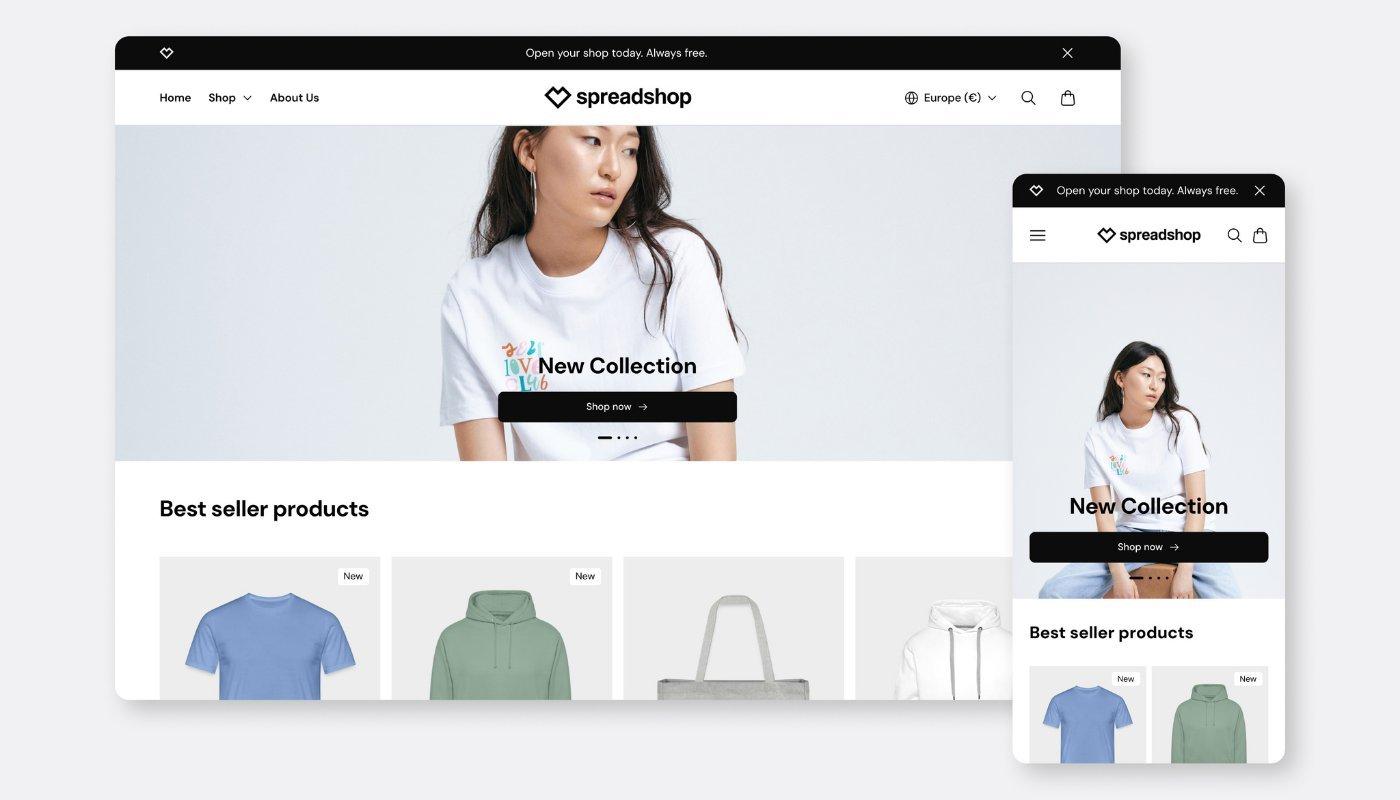
We're introducing a new storefront to provide a faster, more modern, and more stable foundation for your shop. The new storefront improves usability, mobile performance, and accessibility while giving us a platform to deliver new features and improvements more quickly in the future.
We're migrating all existing shops to the new storefront so every partner can benefit from the latest improvements and future platform updates. The migration also lays the foundation for upcoming features such as an improved publishing experience, mobile payment options, embroidery support, AI-powered design capabilities, and more.
The new storefront includes:
Improved user experience and web accessibility
Better mobile shopping experience
Improved shop navigation
Enhanced product detail pages
A more modern storefront design
A scalable foundation for future features and improvements
Your shop will be migrated automatically over the next few months. The rollout will happen in phases, so not all shops will be moved at the same time.
You don’t need to do anything — just log in as usual. Once your shop has been migrated, you’ll see the updated storefront automatically.
Individual migration dates won’t be announced separately. Your shop will be migrated automatically as part of the phased rollout, and there’s nothing you need to do.
Preparing for the Migration
Find out whether you need to sign up, prepare your shop, expect downtime, or take any action before the migration.
No. Existing partners are migrated automatically, so there's nothing you need to sign up for. Once your shop has been migrated, simply log in as usual and you'll be using the new storefront.
No. Shops are migrated in planned rollout phases based on migration groups to ensure a smooth and reliable transition.
No action is required. The migration happens automatically.
Once your shop has been migrated, we recommend taking a few minutes to review it and familiarise yourself with the new storefront. You don't need to back up your shop or reconfigure any settings beforehand.
No downtime is planned. The migration will happen in phases to help ensure stability and a smooth transition for all shops.
Your shop should remain available as usual throughout the process.
Once your shop has been migrated, the updated storefront will appear automatically. There’s nothing you need to confirm, activate or set up.
The rollout will happen gradually over the next few months, so timing may vary from shop to shop.
Your Shop & Content
Learn what happens to your products, designs, URL, branding, content, settings, and SEO during the migration.
Yes. Your existing products and designs are migrated automatically, so your catalogue remains intact.
Yes. Your shop URL will remain unchanged. You can continue to use and share your existing shop link as usual.
Your shop will be migrated automatically as part of the phased rollout, with no changes to the URL.
Yes. Your existing colours and fonts are transferred automatically during migration, so your shop keeps its current branding without requiring any manual setup.
Yes. Your shop categories and existing content will remain unchanged.
Some shop pages may look slightly different after the migration, depending on your current settings. Product detail pages will also have an updated layout, but the product content itself will remain the same and does not require any action from you.
Most of your shop settings will be migrated automatically, so your shop will continue to work without any action needed from you.
A few advanced design, layout, and customisation options may not be available in the updated storefront right away. We’re reviewing selected features, including embedded shops and product list page options, for future improvements.
Your products, categories, shop content, and basic shop setup will remain in place.
The new storefront has been built with modern SEO best practices in mind. Your shop URL remains the same, and we've introduced several technical SEO improvements to help search engines better understand and index your shop.
These improvements include:
Canonical URLs to help prevent duplicate content
Hreflang tags for multilingual shops
Robots meta tags for better indexing control
Structured data (JSON-LD) for product information
Open Graph tags for improved social sharing
Meta descriptions for search results
We're also continuing to improve the storefront's SEO foundation over time with additional enhancements planned for future updates.
Features & Customisation
Find out which features and customisation options will be available, including custom CSS, embedded shops, and tracking integrations.
Most features will continue to work after migration. However, a small number of features are still being rolled out on the new storefront. This currently includes the Shop Customiser and Embedded Shops. Additional functionality will become available over time.
Shops using custom CSS won't be migrated as part of the initial rollout. We're taking additional time to ensure custom CSS can be supported as part of the migration before these shops are moved to the new storefront.
Embedded shops are not yet available on the updated storefront.
We’re working to identify shops that currently use embedded shop code and exclude them from this migration phase where possible. These shops will remain on the current storefront for now.
Support for embedded shops is being reviewed for a future update.
Your tracking and analytics setup will be taken into account during the migration.
For migration phases, existing tracking entries are planned to be carried over to the updated storefront. If your shop uses tracking integrations, there is no action required from you at this stage.
After the Migration
Learn what to review once your shop has been migrated, what to check, and where to get help if something is not as expected.
Yes. While no action is required before migration, we recommend reviewing your shop once it's live to familiarise yourself with the updated storefront and verify everything looks as expected.
We recommend checking:
Your homepage
Navigation
Product pages
Branding (colours and fonts)
Featured content
Overall customer experience
No. Once your shop has been migrated, it can't be switched back to the previous storefront.
If your question isn't answered here or you need assistance after your migration, please contact our Customer Service team.
Looking Ahead
Discover which improvements and features are planned next and how the updated storefront will affect your customers.
The new storefront creates the foundation for ongoing improvements across Spreadshop. Future updates include:
An improved Publishing Journey
Mobile payment options
Embroidery support
AI-powered design capabilities
Continued storefront improvements
Yes. Your customers will notice a refreshed storefront with a more modern design, improved navigation, enhanced product pages, and a better mobile experience.
Your products, branding, and shop URL remain the same, allowing returning customers to continue shopping as usual while benefiting from an improved shopping experience.