Your new Spreadshop now starts with a fresh storefront design
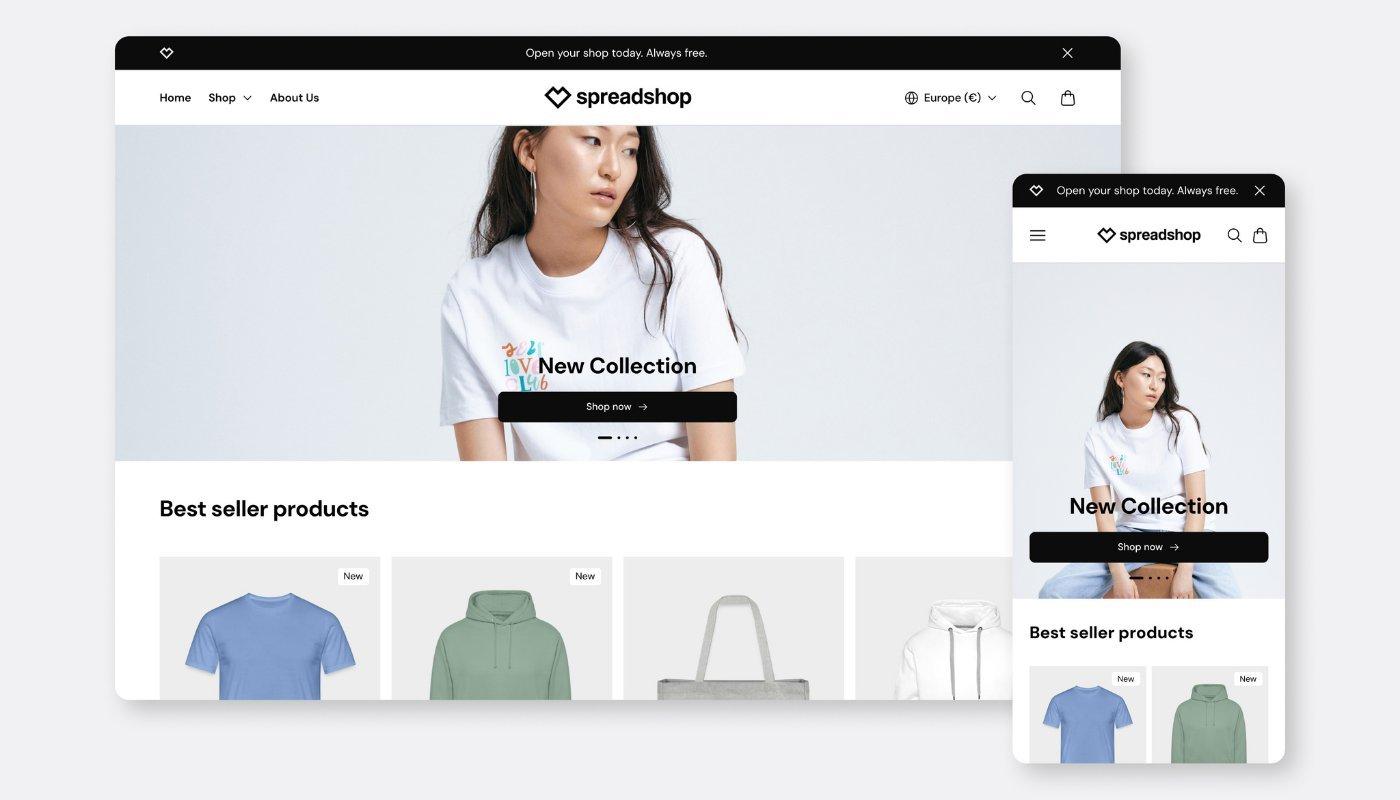
You are about to open a new Spreadshop? Starting now, your shop will automatically launch with our new storefront. It comes with a more modern design, mobile-optimized layouts, clearer navigation, and improved product pages — so you can present your brand professionally and give your customers a smoother shopping experience.
Nothing changes for existing shops: your current shop stays exactly as it is. The new design is applied automatically when you create a new shop.
What’s new?
With the new storefront design, we’ve updated the look, structure, and shopping experience for new Spreadshops. The goal was to give you a better starting point for your shop: more modern, more flexible, and more focused on mobile use and e-commerce performance.
Whether you’re launching your very first shop or creating another shop for a new brand, audience, or product idea, the new storefront helps you look professional faster.
A fresh, modern look for your shop
The new storefront design creates a cleaner and more contemporary shopping experience. Layouts, typography, spacing, and visual elements have been redesigned to help your products stand out and make your shop feel more organized.
This makes it easier for visitors to browse, discover products, and find their way around. From the start, your shop gets a professional foundation that you can build your brand on.
Optimized for smartphone, tablet, and desktop
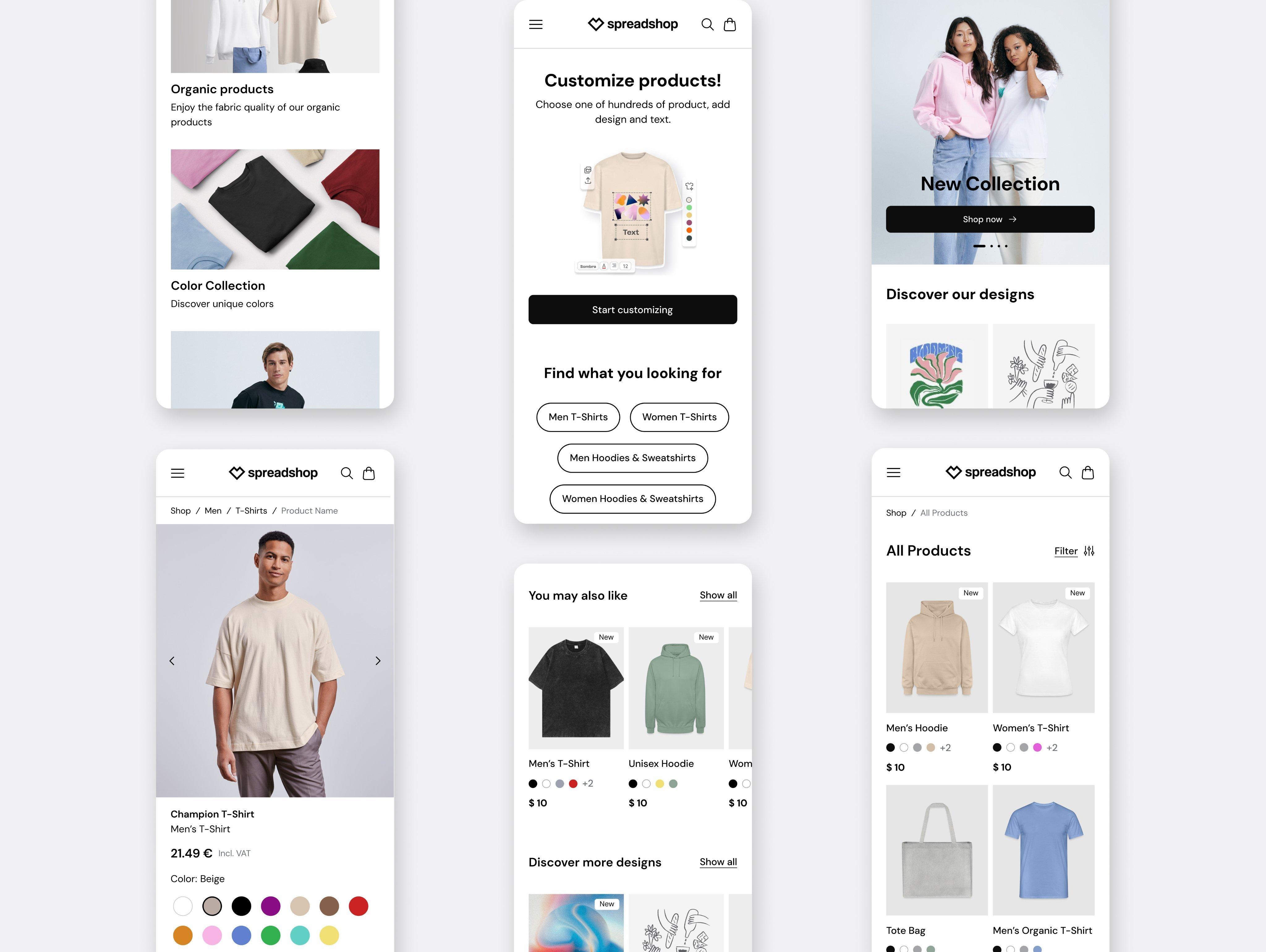
Many customers discover products directly on their smartphones. That’s why the new storefront was designed with mobile use in mind from the beginning.
Your new shop automatically adapts to different screen sizes — from phones and tablets to desktop computers. This keeps your brand experience consistent, clear, and easy to use on every device.
That matters especially for new shops: you don’t have to figure out first how your shop works on mobile. The new design already comes with a mobile-optimized structure.
Modular layouts for more creative freedom
Your shop should fit your brand — not the other way around. That’s why the new storefront design uses modular layouts that give you more flexibility when building your shop.
For example, you can use banners, featured products, and your own content in a way that better fits your shop concept. You can make these adjustments directly in your Partner Area, and the setup is designed so you don’t need any technical knowledge.
This gives you more control over how your new shop feels: clean and focused, visually bold, product-driven, or brand-led — depending on what works best for your idea.
Easier navigation with the new mega menu
Finding products should never feel like work. That’s why the new storefront comes with clearer navigation.
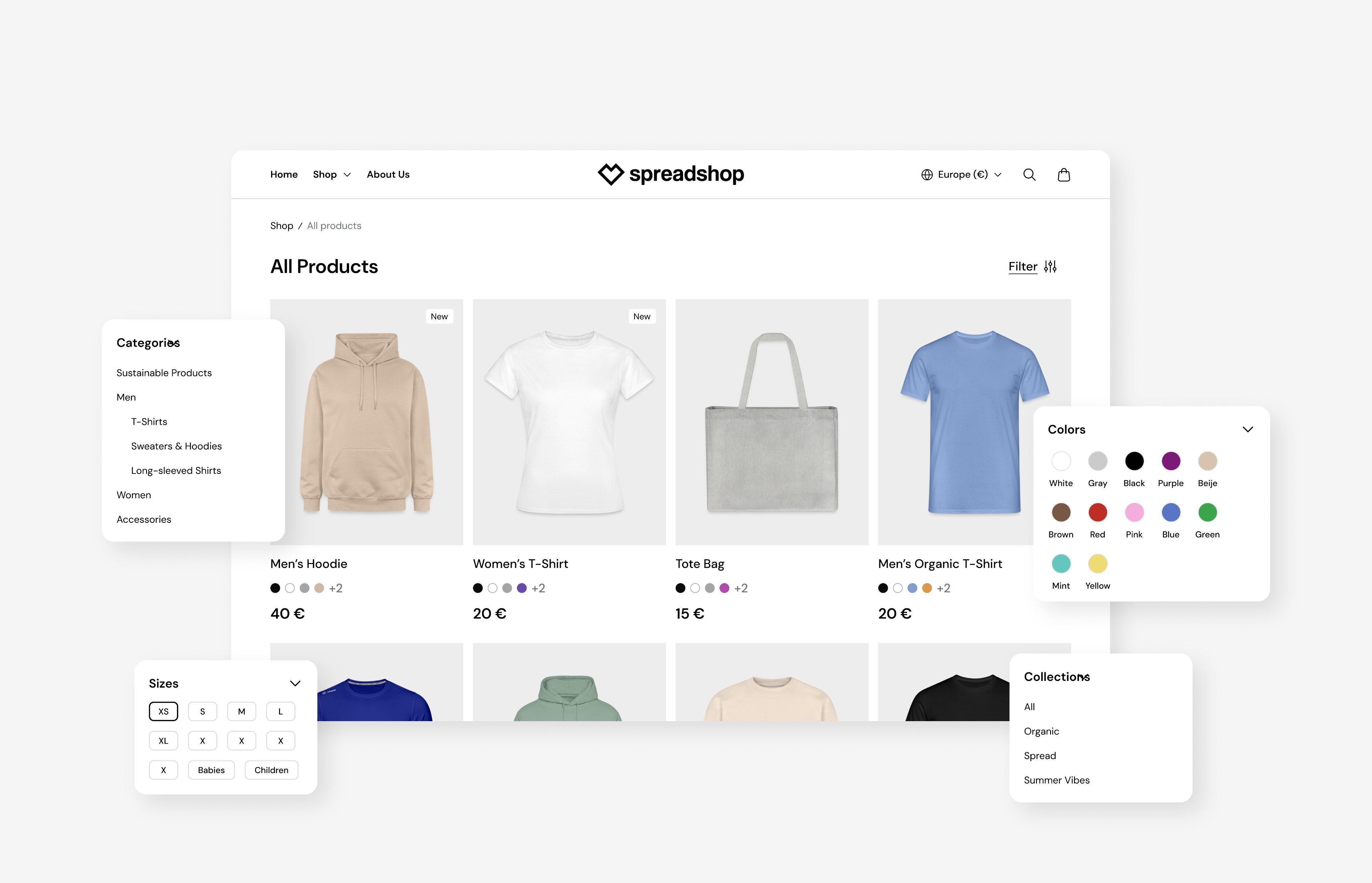
The new mega menu helps your customers browse your shop faster and find their way through your product range more easily. This is especially helpful for shops with multiple product groups, topics, or designs, where a clearer structure can make a big difference.
Clear navigation can help visitors stay longer, discover more products, and find what they’re interested in more quickly.
Improved product pages for a smoother shopping experience
The product page is one of the most important areas of your shop. It’s where customers decide whether to buy. That’s why we redesigned the product pages in the new storefront.
The new presentation provides clearer calls to action, a better overview, and an easier way to select product variants. Sizes, colors, and other options are easier to understand and choose.
Less friction in the buying process means your customers can make decisions faster and move to checkout more easily.
Designed to help you present your brand better
A beautiful shop is about more than design. It also helps you build trust and position your brand more clearly.
The new storefront design gives you a strong foundation to showcase your designs professionally, structure your product range clearly, and make your shop feel like a brand of its own. That means you can create a shopping experience that fits your audience right from the start.
Whether you want to sell merch for a community, products for your social media channels, or build your own design brand, your new Spreadshop now starts with a storefront design that supports you.
What does this mean for existing shops?
Nothing changes for existing shops. Your current shop remains unchanged and keeps its existing design.
The new shop design is only applied automatically when you create a new shop. You don’t need to adjust anything in your existing shops, and nothing will be switched automatically.
So if you already run a Spreadshop, your existing shop stays exactly the way you set it up.
Available now for new shops
The new design is available now. You don’t need to select it separately: when you create a new Spreadshop, the new storefront design is applied automatically.
That means you start right away with the latest shop design and benefit from the new layouts, improved mobile experience, clearer navigation, and optimized product pages.
The new theme design is available now.
No. When you create a new shop, the new design is applied automatically.
At the moment, the new design is automatically applied when you create a new shop. It is not yet available as a selectable option for existing shops in the Partner Area.
Nothing changes for existing shops at this time. Your current theme, designs, products, categories, and settings remain exactly as they are. No changes will be made automatically.
No. Existing shops will keep their current theme for now. There will be no automatic migration.
The new design is currently available for newly created shops only. However, we plan to make the new shop frontend available to existing partners in the coming weeks.
We do not have details regarding timing, availability, or the required steps just yet. We’ll share all relevant information well in advance as soon as the migration becomes available for existing shops.
No. There is nothing you need to do at the moment. Your existing shop will remain unchanged. Once the new shop frontend becomes available for existing shops, we’ll communicate all necessary information and next steps ahead of time.
Existing shops currently remain on their existing theme. Since migration to the new shop frontend is not yet available, details regarding migration and rollback options have not been finalized. We’ll provide updates as soon as more information becomes available.
Start your new shop with the new storefront design
When you open a new Spreadshop, you automatically get our new storefront design from the start: with a more modern look, mobile-optimized layouts, clearer navigation, and improved product pages.
This helps you present your brand professionally, organize your product range clearly, and give your customers a better shopping experience from the beginning.
Create your new Spreadshop now and start with the new storefront design.